praven-pro
Praven Pro - Interface Screenshots
Visual guide to the Praven Pro user interfaces.
Web Interface (port 5001)
Landing Page
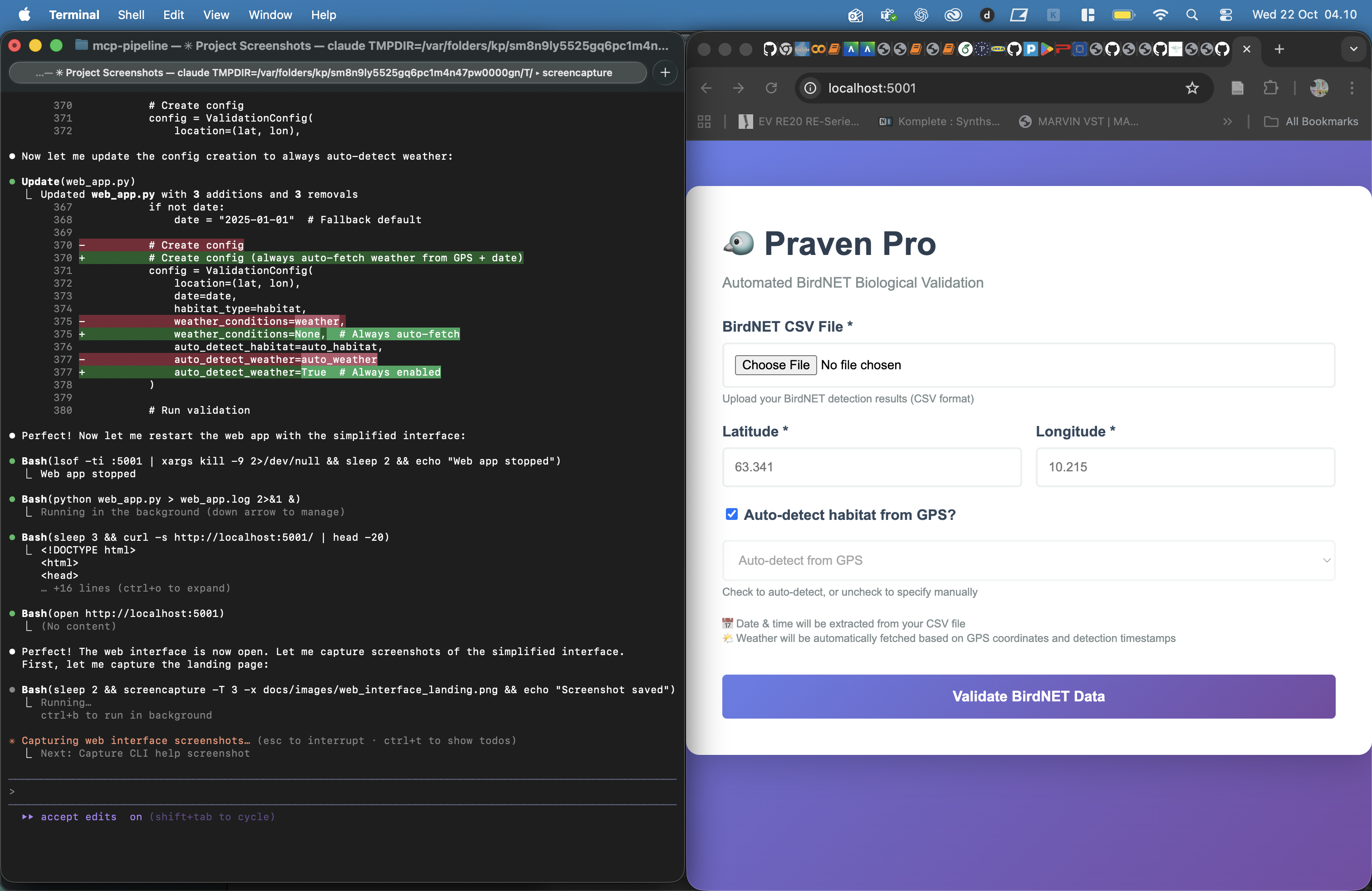
Features shown:
- Purple gradient header with Praven Pro branding
- File upload area (drag-and-drop or click)
- Configuration form:
- Latitude/Longitude inputs
- Habitat type dropdown (wetland, forest, oceanic, grassland, urban, agricultural)
- Date picker
- Weather conditions (rain, fog) sliders
- eBird integration toggle
- Validate button
URL: http://localhost:5001
File Upload

Features shown:
- Drag-and-drop zone highlighted
- Supported formats: CSV files
- File size indicator
- Upload progress (if applicable)
Validation Results

Features shown:
- Success message
- Validation statistics:
- Total detections
- Auto-accepted count
- Auto-rejected count
- Review required count
- Smart review count
- Download links for:
- Full results CSV
- Accepted detections CSV
- Rejected detections CSV
- Review detections CSV
- Priority review CSV (top 3 per species)
- Summary report TXT
- Interactive dashboard HTML
Validation Dashboard
Overview Section

Features shown:
- Metric cards:
- Total Detections (6,805)
- Auto-Accepted (581) - Green
- Auto-Rejected (23) - Red
- Needs Review (6,201) - Orange
- Priority Review (192) - Blue
- Study information:
- Location coordinates
- Date
- Habitat type
- Weather conditions (if provided)
Validation Breakdown Chart

Features shown:
- Pie chart or bar chart showing:
- ACCEPT: 581 (8.5%) - Green
- REJECT: 23 (0.3%) - Red
- REVIEW: 6,201 (91.1%) - Orange
- Legend with percentages
- Interactive tooltips (hover for details)
Species Summary Table

Features shown:
- Table columns:
- Species name
- Total detections
- Accepted count
- Rejected count
- Review count
- Average confidence
- Sortable columns
- Search/filter functionality
- Pagination (if many species)
Rejection Reasons

Features shown:
- Top rejection reasons with counts:
- “Nocturnal detection of diurnal species (Lesser Spotted Woodpecker)” - 14
- “Oceanic species detected inland (European Storm-Petrel)” - 4
- “Pelagic species detected inland (Manx Shearwater)” - 3
- “Non-native species (Bar-headed Goose)” - 1
- “Habitat mismatch (Western Capercaillie)” - 1
- Bar chart visualization
- Color-coded by severity
Smart Review Section

Features shown:
- Original review workload: 6,201 detections
- Smart review workload: 192 detections
- Workload reduction: 97%
- Species requiring review: 64
- Callout box: “Review the PRIORITY_REVIEW.csv file for efficient manual validation”
- Visual representation of workload reduction (before/after bars)
Command Line Interface
Basic Validation Command
$ python validate.py gaulossen_all_detections.csv \
    --lat 63.341 --lon 10.215 \
    --habitat wetland \
    --date 2025-10-15

Loading BirdNET results: gaulossen_all_detections.csv
  Loaded 6,805 detections
  Unique species: 85

Checking eBird cache...
✓ Cache found: cache/ebird_63.341_10.215_50km.json
✓ Cache age: 2 days (fresh, using cached data)

Running biological validation...
[████████████████████████████████████] 6,805/6,805 (100%)

Smart Review Selection
================================================================================
Total detections: 6,805
  Auto-accepted: 581 (no review needed)
  Auto-rejected: 23 (no review needed)
  Needs review: 6,201

📋 Review Workload Reduction:
  Before: 6,201 detections to review
  After:  192 detections to review
  Reduction: 96.9%

  Species with REVIEW status: 64
  Top 3 per species selected

Exported full results: output/praven_results_20251022_032840_full.csv
Exported accepted: output/praven_results_20251022_032840_accepted.csv
Exported rejected: output/praven_results_20251022_032840_rejected.csv
Exported review: output/praven_results_20251022_032840_review.csv

🎯 Smart Review Selection:
   Priority review (top 3/species): output/praven_results_20251022_032840_PRIORITY_REVIEW.csv
   → Review only 192 detections instead of 6,201!
   → 97% workload reduction

================================================================================
Validation Complete!
================================================================================

Results:
  Total:        6,805 detections
  Accepted:     581 (8.5%)
  Rejected:     23 (0.3%)
  Needs Review: 6,201 (91.1%)

Species:
  Accepted: 19 species
  Rejected: 5 species

🎯 Smart Review Reduction:
  Original workload: 6,201 detections
  Priority review:   192 detections (top 3/species)
  Workload saved:    97%
  → Review the PRIORITY_REVIEW.csv file instead of review.csv!
Help Menu
$ python validate.py --help

usage: validate.py [-h] --lat LAT --lon LON --habitat
                   {wetland,forest,oceanic,grassland,urban,agricultural}
                   [--date DATE] [--rain RAIN] [--fog FOG] [--no-ebird]
                   input_csv

Praven Pro - Automated BirdNET Validation

positional arguments:
  input_csv             Path to BirdNET detections CSV

optional arguments:
  -h, --help            show this help message and exit
  --lat LAT             Latitude of study location
  --lon LON             Longitude of study location
  --habitat {wetland,forest,oceanic,grassland,urban,agricultural}
                        Primary habitat type
  --date DATE           Study date (YYYY-MM-DD format)
  --rain RAIN           Rain intensity (0.0-1.0)
  --fog FOG             Fog density (0.0-1.0)
  --no-ebird            Disable eBird integration

Examples:
  # Basic validation
  python validate.py detections.csv --lat 63.341 --lon 10.215 --habitat wetland

  # With weather conditions
  python validate.py detections.csv --lat 63.341 --lon 10.215 --habitat wetland \
    --rain 0.3 --fog 0.5 --date 2025-10-15

  # Without eBird (faster, less accurate)
  python validate.py detections.csv --lat 63.341 --lon 10.215 --habitat wetland \
    --no-ebird
Output Files
Priority Review CSV

Columns shown:
common_name- Species namescientific_name- Scientific nameconfidence- BirdNET confidence scorequality_score- Praven quality score (confidence + bonuses)temporal_valid- Within species activity windowhabitat_valid- Habitat matchstatus- REVIEWrejection_reason- Any warnings (if applicable)absolute_timestamp- Detection time
Sample rows:
common_name,confidence,quality_score,temporal_valid,habitat_valid,status
Graylag Goose,0.95,1.05,true,true,REVIEW
Graylag Goose,0.92,1.02,true,true,REVIEW
Graylag Goose,0.88,0.98,true,true,REVIEW
Great Snipe,0.87,0.97,true,false,REVIEW
Great Snipe,0.83,0.93,true,false,REVIEW
Great Snipe,0.79,0.89,true,false,REVIEW
Validation Dashboard HTML

Features:
- Standalone HTML file (no dependencies)
- Embedded CSS and JavaScript
- Interactive charts (hover tooltips)
- Responsive design (mobile-friendly)
- Printable format
File location: output/praven_results_YYYYMMDD_HHMMSS_dashboard.html
Screenshots Capture Guide
To capture these screenshots:
Web Interface
- Start web server:
python web_app.py - Open browser:
http://localhost:5001 - Capture landing page
- Upload test CSV file
- Fill form with test data
- Capture results page
- Save screenshots to
docs/images/web_*.png
Dashboard
- Open generated dashboard HTML in browser
- Capture full page overview
- Capture individual sections (charts, tables)
- Save to
docs/images/dashboard_*.png
Command Line
- Use terminal screenshot tool (macOS: Cmd+Shift+4)
- Run validation commands
- Capture output
- Save to
docs/images/cli_*.png
CSV Files
- Open in Excel or Google Sheets
- Format for readability
- Capture header and sample rows
- Save to
docs/images/csv_*.png
File Naming Convention
docs/images/
├── web_interface_landing.png       # Web UI landing page
├── web_interface_upload.png        # File upload area
├── web_interface_results.png       # Results page
├── dashboard_overview.png          # Dashboard main view
├── dashboard_validation_chart.png  # Validation breakdown chart
├── dashboard_species_table.png     # Species summary table
├── dashboard_rejection_reasons.png # Rejection reasons chart
├── dashboard_smart_review.png      # Smart review section
├── priority_review_csv.png         # Priority review CSV sample
├── dashboard_html.png              # Dashboard HTML file
├── cli_validation.png              # CLI validation output
└── cli_help.png                    # CLI help menu
Screenshot Specifications
Format: PNG (lossless) Resolution: 1920x1080 minimum (or native retina) Compression: Optimized for web (use tools like ImageOptim) Annotations: Optional - highlight key features with arrows/boxes Naming: Lowercase, underscores, descriptive
Future Screenshots
As new features are added:
- Capture screenshots following this guide
- Add to
docs/images/with descriptive names - Update this document with new sections
- Link screenshots in main README.md
Notes
- All screenshots should show real data from the Gaulossen validation
- Ensure no sensitive information is visible
- Use consistent browser window size for web interface screenshots
- Include version information where visible (v2.1)
- Screenshots should demonstrate typical use cases, not edge cases